Send TradingView alerts to Discord, with the chart
TradingView can send alerts to Discord, but only as plain text. Chart Alert posts every alert with a live chart screenshot, so you and your members see the setup, not just a ticker.
Start free, set up in 2 minutes →Free plan included. No card required.
1D Crossing horizontal ray
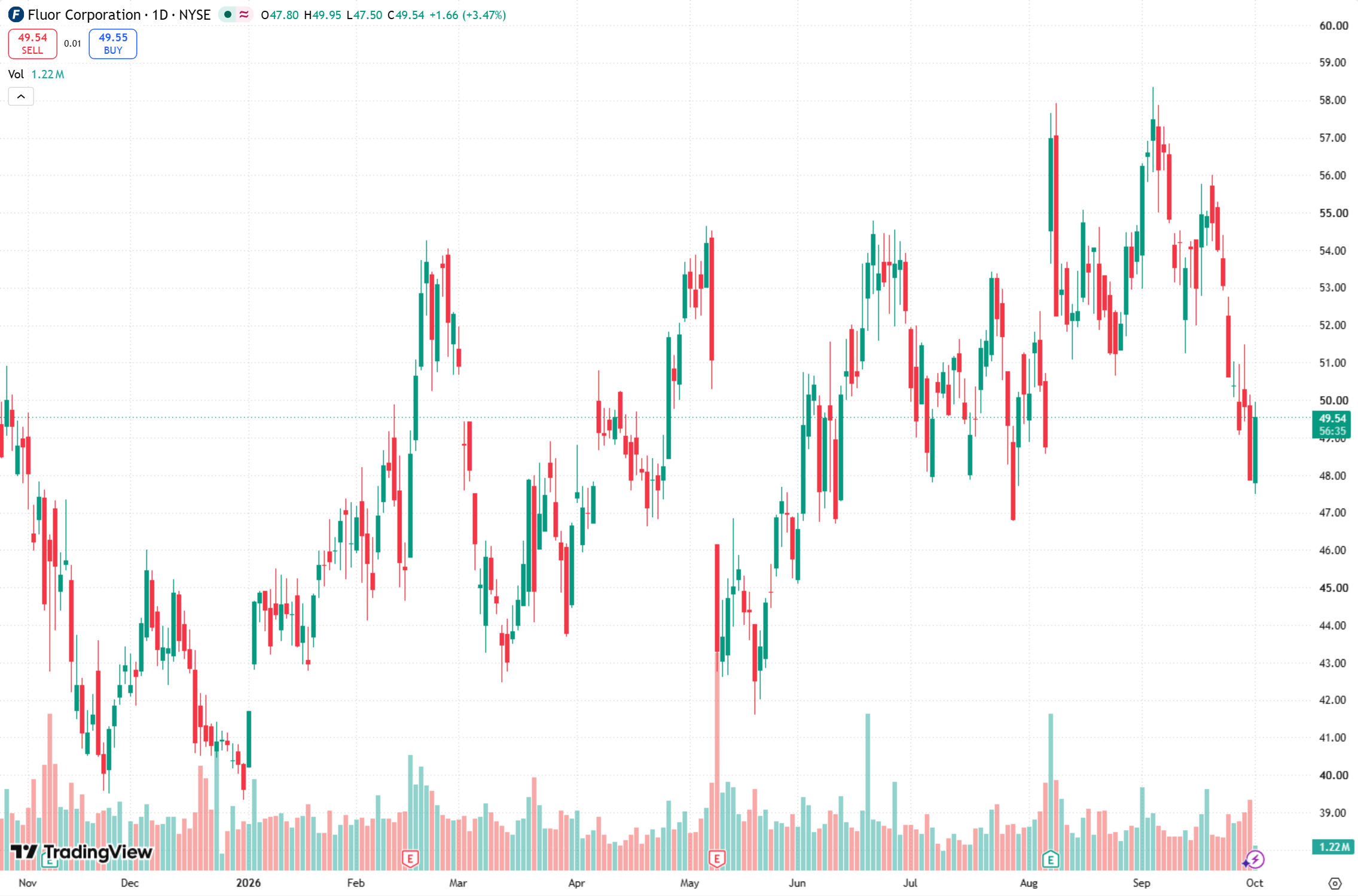
A real alert: the TradingView message on top, the live daily chart underneath.
Why TradingView's built-in Discord alerts fall short
TradingView alerts can call a webhook, and Discord channels have webhook URLs. Connecting them directly works, with two catches:
- ✗Text only. Discord gets a line like "AAPL crossing 182". Nobody can see the chart without opening TradingView.
- ✗You have to write JSON. Discord only accepts messages formatted as
{"content": "..."}, so every alert message needs rewriting, and one typo means the alert silently fails.
Chart Alert sits in between: TradingView sends the alert to Chart Alert, which opens the chart, takes a screenshot, and posts both to Discord.
How to set it up (about 2 minutes)
-
1
Create a Discord webhook
In Discord: Channel settings → Integrations → Webhooks → New Webhook → Copy Webhook URL. Paste it into your Chart Alert dashboard.
-
2
Send a test
Click "Send test alert" and a chart appears in your channel within seconds.
-
3
Add the webhook to your TradingView alerts
Create an alert (Alt + A). In Notifications, tick Webhook URL and paste your Chart Alert URL. Keep your usual message, or paste the one-line message from your dashboard.
What you get
Works with your existing alerts
Messages like AAPL, 1D Crossing horizontal ray or NASDAQ:AAPL breakout are read automatically.
Daily chart, or your timeframe
Daily by default. Pick a fixed timeframe, or match the chart each alert came from.
Your own indicators
Link a shared TradingView layout and screenshots show your indicators and drawings.
Several channels
Post the same alert to multiple Discord channels or servers at once.
Who it's for
- Trading communities and educators, who post setups to members every day.
- Signal providers, whose members act faster when they can see the chart.
- Individual traders, who want a visual log of every alert on their phone.
Frequently asked questions
Do I need a paid TradingView plan?+
Yes. TradingView only allows webhook notifications on its paid plans, and webhooks are how alerts reach Chart Alert. Discord itself is free.
Do I have to change how I write my alerts?+
No. Messages like "AAPL, 1D Crossing horizontal ray" or "NASDAQ:AAPL breakout" are read automatically. For the most reliable results you can paste the one-line message from your dashboard, which lets TradingView fill in the exact symbol.
Which chart timeframe is shown?+
The daily chart by default. You can pick a fixed timeframe in your settings, or have each screenshot match the chart the alert came from.
Can the screenshot show my own indicators?+
Yes. Turn on sharing for a TradingView chart layout and paste its link in your settings. Screenshots then use that layout's indicators, drawings and style.
How fast do alerts arrive in Discord?+
Usually within 20 seconds of TradingView firing the alert, including the time to load and capture the chart.
Can I post to more than one Discord channel?+
Yes. Add as many Discord webhooks as you need and every alert is posted to all of them.
Is there a free plan?+
Yes. The free plan includes 1 alert a day, with no card required.
Put charts on your Discord alerts
Free to start. Takes about 2 minutes.
Create free account →